(this title brought to courtesy of Beres Hammond, who’s “What One Dance Can Do” bubbled to the front when coming up with names for this post)
I’ve had a recurring problem ladies and gentlemen, in that artist names have been driving me crazy.
Here’s the situation. An artist is named “artist”, and she publishes albums in this name. Then the artist decides to change her name to “artois”, and publishes further names under this new name. And so on and so forth.
The problem, then, is trying to determine which albums belong to a particular artist, regardless of pseudonym. The problem can even crop up when, say, a gospel artist works with a choir and publishes an album with the choir’s name. You want to give credit where credit is due, so the album artist field dutifully contains both the primary artist and the contributing choir. But what happens when the artist publishes a solo album?
I’ve turned this one around in my mind for some time. It becomes a problem when listing artists, in which case a single artist can be listed 2, 3, even 4 times. Or when trying to browse an artist’s discography.
Part 1 of the solution was to introduce an “artist alias” field into the backend database, which is intended to contain the most recent pseudonym for that artist. This isn’t the same as “TLC” vs. “Left Eye”; rather, it’s intended for people like “Puff Daddy”, aka “P. Diddy” aka “Puff Daddy” aka “P. Diddy and the Bad Boy Family”, etc.
OK, so we then had the ability to search on alias. And the alias field is a calculated field, in that it will return the value of the artist field if the alias is empty. Groovy.
However there was still the problem of listing and browsing. You’d think that the artist alias would be enough, but you’d be wrong. Take Bobby Valentino, aka Bobby V., aka Bobby Wilson. I don’t believe he’s published any names under Bobby Wilson, yet that’s his current psuedonym (in this case, his real name).
Now, it would be fine – I think – to browse Bobby’s discography using nothing other than the Bobby Wilson alias. However, we get into major problems when we want to see all songs where Bobby Wilson is the primary artist. Those songs may exist on albums that are not Bobby Wilson albums at all – ie, soundtracks – or he may have still been going by Bobby Valentino at the time.
Basically, you’d need to search by all known aliases in those cases.
So after much consternation, I finally put together the code to make this happen. Works a treat. You have to take some care when putting together a manual search, as you have to understand exactly what it is you’re searching. This is a fairly standard condition though, I think. Otherwise, use the plethora of buttons and links which will do the heavy lifting for you.
While I was at it, I decided to tackle another dilemma: handling artist names that contain quotes.
Quotes are Bad News(tm) in the programming world. You have to escape them, which isn’t bad. But still, they can cause major problems. Take the following example:
Give me all albums by Damian "Junion Gong" Marley, or by Lisa "Left Eye" Lopes.
Those are both valid artist pseudonyms. And, if you construct the search with two artist fields OR’d together, you’re fine.
But in some cases – and this is true for our discography browsing code – you use a search specified like this:
artist is "Lisa "Left Eye" Lopes" or "Damian "Junior Gong" Marley"
There may be any number of reasons why you have to use this format versus the one above. In my case it’s due to restrictions in the code and how parms are passed around.
Regardless, what you’ve got there are nested quotes. And previously, my code would spit it out and give some unknown result.
No longer. There are some basic assumptions that you can make:
- a quote followed by a non-whitespace character is an opening quote
- a quote followed by a whitespace character (or end-of-line) is a closing quote
There may be more, and more complexity, but you get the picture. And indeed, these may be rules that you enforce rather than simply assume to be true. With those rules in place, the code can now track nesting levels. Escaping is another simple step away.

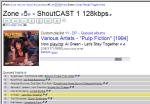 There are a slew of maintenance scripts that power this thing, and no less than three disparate “servers” that go into making it all happen. Currently we’ve got two physical zone – family room and basement – and another four virtual zones for streaming.
 Deryk Piper's Blog