Apologies for the dearth of updates. The silent masses have been wailing my name incessantly as a result. I hear you, your screams are defeaning.
(WTF?)
Things have been… different… this year. That’s about as much as I can say at the moment. The lack of a stable “all systems OK” comfort zone has basically meant that I’m in maintenance mode more than anything else. Hence – little in the way of blog updates and other reckless indulgences 🙂
Anyhoo, on to the subject of this particular post. And this will likely be quick.
You may recall that, to-date, the home automation system consists primarily of surveillance, hvac, and music. Much hasn’t changed in that respect, but I have been able to make some changes that have increased the reliability, efficiency and usefulness of the system.
Surveillance first. The most notable change here has been the inclusion of HTML5-compatible transcoded video. For some time I’ve relied on Flash to allow for remote viewing of archived surveillance video – but having upgraded my phone to Jelly Bean and settled on Chrome as my browser of choice, Flash is no longer an option on that particular device. To that end, the backend transcodes video into both Flash and x264 formats. The format available to you is in the browser is determined automagically.
Other small changes have been the regular code cleaning that occurs when you realize that the way you did something a year ago makes absolutely no sense and – there – this makes much more sense. For now.
The next notable change/improvement actually touches on HVAC as well, so it’s a good segue. You may recall (but probably don’t) that the automation system is occupant-aware. When we’re home, certain things happen – like telling the thermostat to target a comfortable temperature, or telling the surviellance system not to pepper me with event notifications. Previously, occupant detection relied on Bluetooth and its rather short range. And while I had dreams of hacking unsightly 2.4Ghz antennas onto cheap USB Bluetooth adapters, I woke up recently and decided to use WiFi for the same purpose – which also makes sense since our phones are connected to WiFi whenever we’re home. Well, Shelly’s Nokia wasn’t always connected, by her loaner phone (my Desire Z) is as is my Galaxy S III. It was just a matter of course before – no changes in usage or increased battery consumption.
This has simplified matters greatly, in addition to greatly increasing the reliability of the detection code. The method is actually straightforward – check the wireless access point’s association table to see if particular MAC addresses are connected. C’est tout.
Also within the spherical roundness of occupant-detection (???) is the news that the system can now get updates from the alarm system. This is very useful, as it leads to very dependable home/away information that is actually more reliable (in some cases) than the wireless detection method. The automation system is also configured to simulate motion/audio events on all cameras if the alarm notifies it of a perimeter breach.
Now over to HVAC.
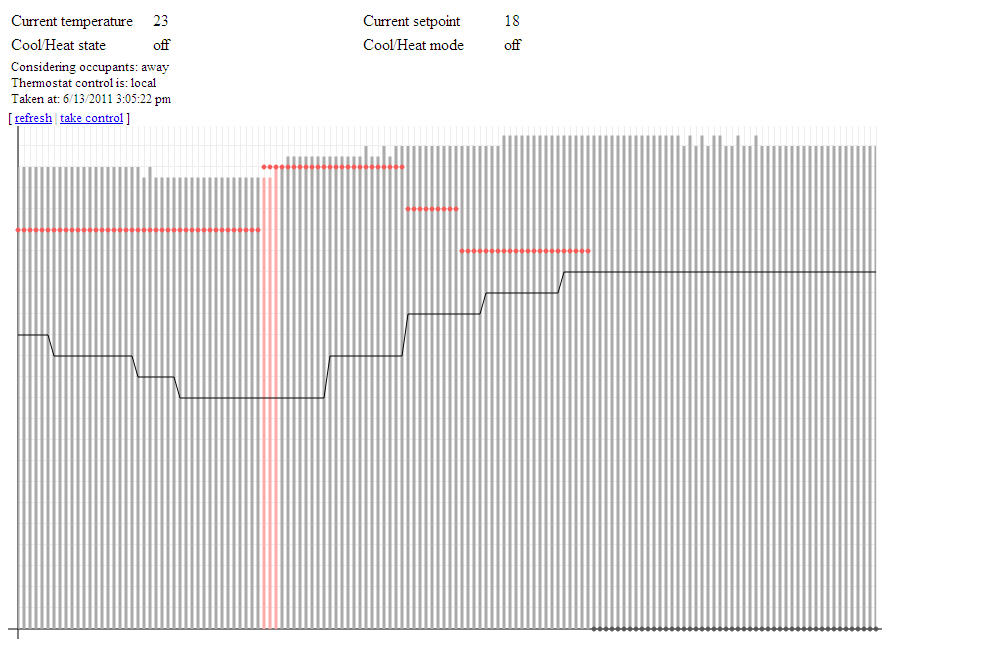
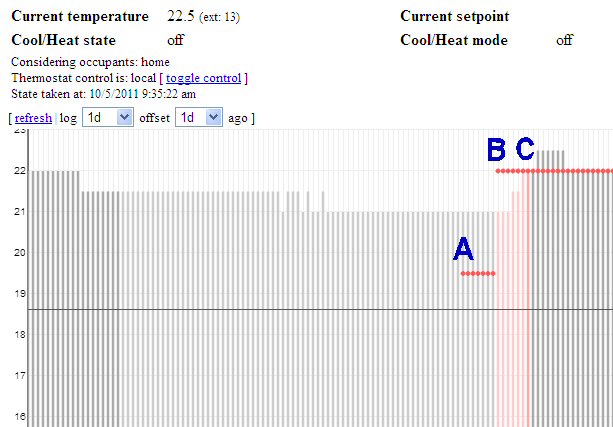
Again – more code cleaning. I spent a little bit of time thinking I could simplify the “Smart Logic” – the stuff that determines if the system should be off or on and what mode and when to run the fan and blah blah blah – but that turned out to be more painful than just leaving it the way it was so left it I did. However, the system now has the ability to pre-condition the house if the next program calls for it. This is one end of a multi-month effort that involved the automated collection of efficiency information. The system keeps track of how long it takes to heat/cool the house – and currently maintains these statistics seperately for various absolute inside temperatures as well as inside/outside temperature differences – and if the next program calls for more heating or cooling, the system will start doing just that so that we hit the desired temperature just as the next program becomes active.
Admittedly this is not a novel concept. Some thermostats have been doing this for years. Something they can’t do is take the efficiency data and determine when to start pre-conditioning the house once it has been determined that occupants are on the way home. And in the name of openness – my system can’t do this either. But presently that has more to do with niggling concerns rather than a dearth of information or ability. Any claims to the contrary would be blasphemy – you’ve been warned.
???
Anyhoo, the reality is that the current pre-conditioning only happens once a day – and perhaps twice a day in the cooling season. Mostly this is due do the fact that I’ve “flattened” my thermostat’s programs, so that we basically have an overnight setpoint and a not-overnight setpoint (like I talked about here). I’ve been able to do this because:
- the HVAC is much more efficient now than it was before (since we’ve moved)
- occupant detection can lower/raise the setpoint appropriately
- occupant prediction can target the “home” setpoint before we get home
We tend to keep a “cool” house when we’re asleep, but it absolutely sucks to wake up in the morning to cold floors and cold everything-else-too. Otherwise, there’s really no need to program the thermostat when the pieces are in place to make more effective decisions automatically.
So ya, that’s HVAC. Last (and perhaps least?), Music.
Admittedly there hasn’t been much development there. Not to say that I/we don’t use the system – in fact I used it this past Thanksgiving when we entertained family. I just haven’t had occassion to spend oodles of time on it. As it is now, it Just Works(tm).
What I have done, though, is to bring some HTML5 usefulness to the streaming aspect of the system. As with video in the surviellance system, there has been a browser-embedded solution for some time to stream music via a Flash player. Got the job done, but again – Flash’s days seem numbered and are basically done and done in the mobile world.
To that end I added HTML5 Audio, and it gets regular use when I’m at work. Not so much in the car (also known as “not at all in the car”) but that’s because Chrome (and perhaps others) will not allow for background HTML5 audio. If the screen turns off or the browser is pushed to the background: sayonara streaming audio. So I still rely on a bonafied SHOUTcast client for streaming in the car, and truthfully I’d love to be able to run the browser-only solution as it requires much less in the way of security concessions.
Aaaaaaand….
….that’s it!
 Deryk Piper's Blog